
Why Your Website Isn't Loading: 5 Fast Fixes for Irvine Businesses
Is your business site down? Discover 5 fast solutions to get back online. We provide the expert website not loading fix Irvine businesses rely on.

The Panic of a Blank Screen
You open your laptop, type in your company URL and wait. Nothing happens. The browser spins. Then you get a blank white screen or a terrifying error message. Your stomach drops.
If you run a business, a broken website is a closed storefront. You're losing customers, credibility, and revenue by the minute. And you aren't alone in this frustration. According to a study by Gartner, the average cost of IT downtime is $5,600 per minute. While your local Orange County business might not be losing thousands per second, every lost lead hurts your bottom line. Google also reports that 53% of mobile users will leave a site if it takes longer than three seconds to load. When your site doesn't load at all, that bounce rate hits 100%.
When you're frantically searching for a website not loading fix Irvine business owners usually want answers right now. They don't want technical jargon. They want their site back online so they can get back to work.
Getting a proper website not loading fix Irvine or anywhere else starts with knowing the root cause. Before you panic and assume hackers destroyed your digital presence, take a deep breath. Most website outages are caused by simple, fixable errors.
Step-by-Step: Diagnosing the Outage
Before we start changing settings and resetting passwords, we need to figure out exactly what's broken. Honestly, jumping straight into repairs without a diagnosis is a common mistake that often causes more harm than good. Here's a simple process to isolate the problem:
- Check if it's just you. Sometimes your local office network is the culprit. Go to a free tool like DownForEveryoneOrJustMe.com and type in your URL. If the tool says your site is up, the problem is on your end. If it says the site is down, the problem is with your server or domain.
- Test a different device. Turn off the Wi-Fi on your smartphone and try loading your website using cellular data. If it loads on your phone but not your computer, you likely have a local caching or router issue.
- Read the exact error message. Browsers are actually quite helpful. An "Error 502 Bad Gateway" means your server is struggling. A "DNS_PROBE_FINISHED_NXDOMAIN" means your domain name isn't pointing to the right place. Write this error code down.
- Check your email. Search your inbox for messages from your hosting provider or domain registrar. You might have missed a billing failure notice.
Before you pay for an expensive website not loading fix Irvine tech support companies might offer, try these five fast solutions.
5 Fast Fixes for a Broken Website
1. Check Your Domain Registration and DNS
I see this mistake constantly. A business owner buys a domain name, sets it to auto-renew, and forgets about it for a year. Then the credit card on file expires. The domain registrar tries to charge the card, fails, and suspends the domain.
Suddenly, your website vanishes.
To fix this, log into your domain registrar account. This is usually a company like GoDaddy, Namecheap, or Google Domains. Check your billing dashboard. If your domain has expired, you can usually pay the renewal fee (which is typically around $15 to $20) and get your site back online within a few hours.
If your domain is active, check your DNS settings. DNS is like the phonebook of the internet. It tells browsers where your website files live. If someone accidentally changed your A-Record or Nameservers, your site won't load. Verify that your DNS records match the IP address provided by your web host.
2. Clear Your Browser Cache (and Check Downdetector)
Sometimes your website is perfectly fine, but your browser is holding onto an old, broken version of it. Browsers save pieces of websites to make them load faster next time. This is called caching. But if a file gets corrupted, your browser might refuse to load the live site.
Try a hard refresh. On a PC, press Ctrl + F5. On a Mac, press Cmd + Shift + R. This forces your browser to fetch a brand new copy of the website from the server.
Also, consider your local network. If you're working from an office in the Irvine Spectrum area, your internet service provider might be experiencing a localized outage. Check a site like Downdetector to see if Cox or Spectrum is having issues in your zip code. If your ISP is down, you just have to wait it out or work from a coffee shop.
3. Review Your Hosting Resources
Many small businesses use shared hosting plans to save money. These plans put your website on a server with hundreds of other websites. It's cheap, but it comes with strict resource limits.
If your website suddenly gets a spike in traffic, or if a background script runs out of control, you might hit your CPU or memory limit. When this happens, your host will temporarily shut down your site to protect the other websites on the server. You'll usually see a "503 Service Unavailable" or "508 Resource Limit Reached" error.
Log into your hosting control panel and look for a resource usage graph. If your CPU usage is maxed out, you've two choices. You can upgrade to a higher-tier hosting plan, or you can find and disable the plugin or script that is hogging your resources.
4. Roll Back a Recent Plugin or Theme Update
If you use WordPress, you're probably familiar with the dreaded "White Screen of Death." This happens when a piece of code on your site breaks so badly that WordPress can't even generate an error message. It just gives you a blank white page.
This almost always happens immediately after updating a plugin, a theme, or the WordPress core software. Two pieces of code conflict with each other, and the whole system crashes. Here's a professional trick to fix this fast. You'll need to access your website files using an FTP client or the File Manager in your hosting dashboard.
Navigate to the "wp-content" folder. Find the folder named "plugins". Rename that folder to "plugins_old".
This action instantly deactivates every plugin on your website. Now, try to load your website again. If it loads, you know a plugin caused the crash. Rename the folder back to "plugins". Then, go into that folder and rename each individual plugin folder one by one until the site breaks again. The last plugin you renamed is the culprit. Delete it and find an alternative.
5. Look for SSL Certificate Errors
Security is non-negotiable. Modern web browsers will actively block users from visiting a website that doesn't have a valid SSL certificate. Instead of your homepage, visitors will see a massive warning screen that says "Your connection isn't private."
Most people will immediately click away from your site if they see this warning.
SSL certificates encrypt the data passing between your website and your visitors. Many hosting providers offer free SSL certificates through a service called Let's Encrypt. These free certificates usually auto-renew every 90 days. But sometimes, the auto-renewal script fails.
Log into your hosting dashboard and find the SSL/TLS settings. Check the expiration date of your certificate. If it has expired, look for a button to manually run the AutoSSL or Let's Encrypt renewal process. Once the new certificate is installed, your site will be accessible again.
Expert Advice: Quick Wins to Prevent Future Downtime
Fixing a broken website is stressful. Preventing it from breaking in the first place is much easier. Here are a few quick wins you can implement today to protect your digital storefront.
First, set up automated uptime monitoring. You can't fix a broken website if you don't know it's broken. Free tools like UptimeRobot will check your website every five minutes and send you an email or text message the moment it goes offline. This gives you a head start on fixing the issue before your customers notice.
Second, turn on auto-renewal for everything. Your domain name, your hosting plan, and your premium plugins should all be set to renew automatically. Just make sure you update your billing information whenever you get a new credit card.
Third, invest in daily automated backups. If your website gets hacked or a server fails catastrophically, a recent backup is your best insurance policy. Your hosting provider might offer backups, but you should also keep a copy of your website files and database on an external service like Google Drive or Amazon S3. If the worst happens, you can restore your site in minutes instead of rebuilding it from scratch.
When to Call in the Orange County Experts
Some website issues are too complex for a quick DIY fix. If your site has been hacked, if your database is corrupted, or if you're dealing with deep server-level configuration errors, poking around in the code might make things worse.
If you need a reliable website not loading fix Irvine based Excelsior Creative is right down the road. We're a premium web development agency specializing in keeping local businesses online, fast and secure. We don't just put a band-aid on the problem. We find the root cause, fix it permanently, and optimize your site to ensure it runs smoothly moving forward. Don't let website downtime cost you another customer. Reach out to Excelsior Creative today, and let our team of Orange County experts get your digital storefront back open for business.
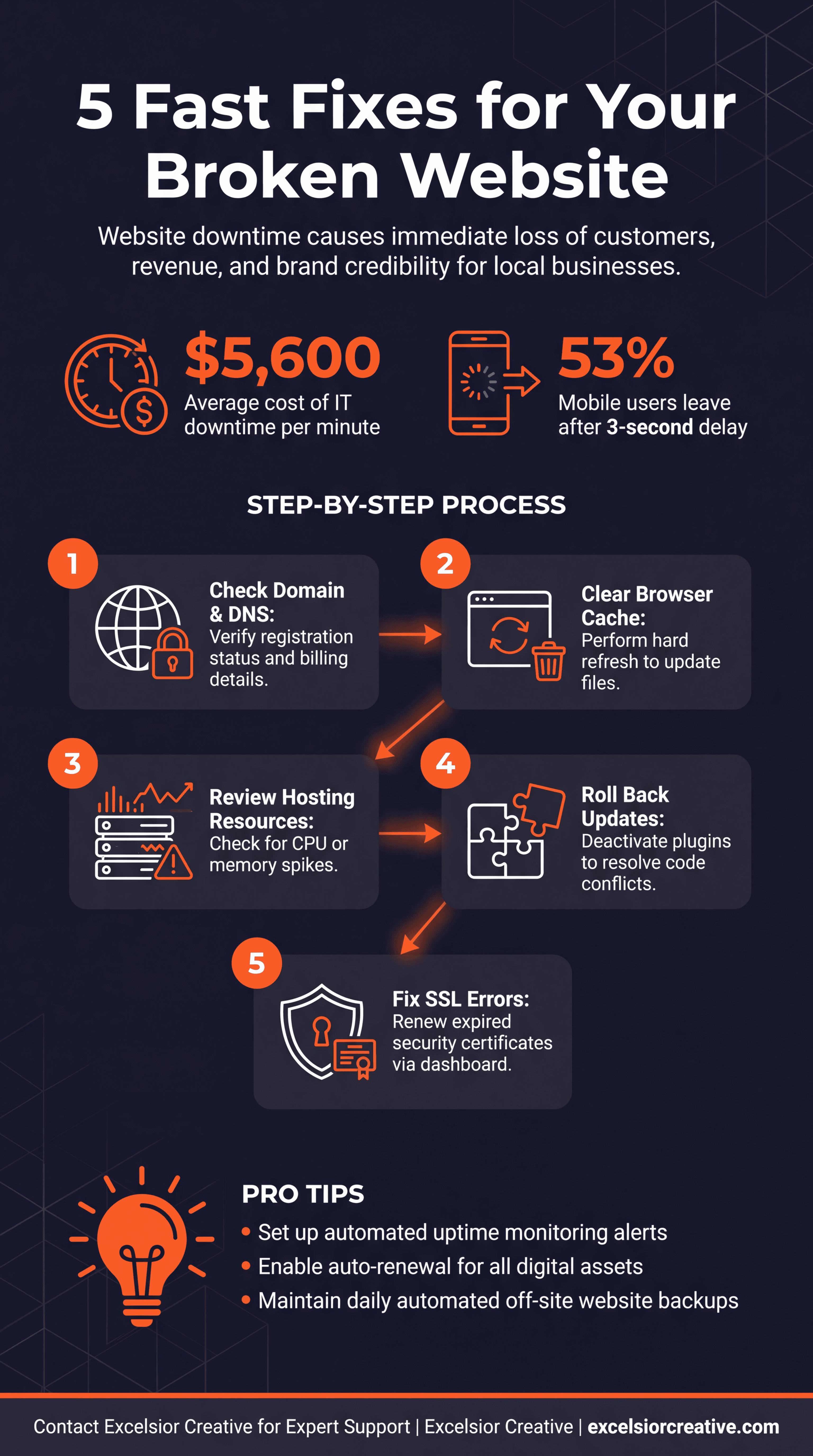
Click to expand high-resolution infographic
Need Expert Web Development?
Our team is ready to help with your web development, emergency repairs, or digital transformation projects in Orange County.