
Emergency Website Repair Orange County: Fix Your Site Now
Website crashed? Don't panic. Follow this step-by-step emergency repair guide to diagnose critical errors and get your local business back online immediately.

You open your laptop, type in your URL, and your stomach drops. Your website is down. Or maybe your checkout page is completely broken, or there's a massive error message plastered across your homepage. I get it. The panic is immediate and overwhelming. When your business relies on web traffic, every single minute of downtime feels like money burning in a fire.
If you're scrambling for emergency website repair Orange County experts are your best bet, but there are things you can do right this second. Take a deep breath. We're going to walk through exactly what you need to do right now to stop the bleeding, diagnose the problem and get your business back online.
The Real Cost of Website Downtime
Before we fix the issue, you need to understand why speed is your only priority right now. Research from Gartner shows that IT downtime costs businesses an average of $5,600 per minute. But let's look at local numbers. For a typical Orange County small to mid-sized business, a broken site easily costs between $137 and $427 per minute in lost sales, wasted advertising spend, and disrupted operations.
And it isn't just about the immediate lost revenue. If you run Google Ads or Facebook Ads pointing to a dead link, you're literally paying for customers to hit a brick wall. Plus, extended downtime damages your SEO rankings and shatters customer trust. If someone tries to buy from your Irvine-based store and the checkout fails, they'll likely just go to your competitor. They won't wait for you to fix it.
Step-by-Step: Your 15-Minute Triage Plan
When a crisis hits, you need a process. Don't just start clicking buttons hoping something works. Follow these exact steps to lock down the situation.
1. Confirm the Outage is Real
Sometimes the problem is just your local internet connection or your browser caching a bad version of the site. Go to a free tool like DownForEveryoneOrJustMe.com and type in your URL. If the tool says your site is up, the problem is on your device. Clear your browser cache, try an incognito window, or turn off your Wi-Fi and check the site on your phone's cellular data.
2. Check Your Hosting Status
If the site is truly down for everyone, your next stop is your web host. Go to the status page of your hosting provider. If you use WP Engine, GoDaddy, or SiteGround, they might be experiencing a server-wide outage. If their servers are down, there's absolutely nothing you can do but wait. Don't mess with your code if the host is the problem.
3. Lock Down Your Team
Tell your staff, your marketing agency, and anyone else with backend access to stop making changes immediately. Two people trying to fix a broken site at the same time will only overwrite each other's work and make the situation infinitely worse. Assign one point person to handle the recovery.
4. Secure Your Latest Backup
Log into your hosting dashboard and find your most recent backup. Don't click restore yet. Just locate it, verify the timestamp and make sure it actually exists. Knowing you've a backup from 2:00 AM this morning gives you a safety net to fall back on if things go sideways.
Decoding the Error Messages
Websites rarely just vanish. They usually leave a clue in the form of an error code. Here's what those confusing numbers actually mean in plain English.
500 Internal Server Error
This is the most common and most frustrating error. It basically means your server encountered a problem but can't figure out exactly what it is. Honestly, this is almost always caused by a bad plugin update, a corrupted.htaccess file, or an exhausted PHP memory limit.
502 Bad Gateway
Your server is taking too long to respond. This is frequently a hosting issue, or it means your site is getting hit with more traffic than it can handle. If you just sent out a massive email blast, your server might simply be overwhelmed.
503 Service Unavailable
Similar to a 502, a 503 error means your server is temporarily overloaded or undergoing maintenance. If you did not schedule maintenance, you might be the victim of a bot attack scraping your site.
The White Screen of Death (WSOD)
If you use WordPress, you might just see a completely blank white screen with no text at all. This happens when a script exhausts the memory limit or a plugin has a fatal flaw. It hides the error message for security reasons, leaving you completely blind.
Expert Advice: How to Fix a Broken WordPress Site
If you're locked out of your WordPress dashboard and staring at a white screen, here's an insider trick that solves about 70% of the emergency website repair Orange County calls we receive.
You need to disable your plugins without logging in.
- Log into your hosting account and open the File Manager, or connect via FTP.
- Navigate to the
wp-contentfolder. - Find the folder named
plugins. - Rename that folder to
plugins-disabled.
This completely forces WordPress to deactivate every single plugin on your site. Now, go refresh your website. If it comes back online, you know with 100% certainty that a plugin caused the crash.
To find the specific culprit, go back to your File Manager and rename the folder back to plugins. Then, log into your WordPress dashboard. All your plugins will be deactivated. Turn them on one by one, refreshing your site after each activation. The moment the site crashes again, you've found the bad plugin. Delete it via FTP and find an alternative.
The E-Commerce Nightmare: Broken Checkouts
Downtime is bad, but a broken checkout is a disaster. When local shops need emergency website repair Orange County developers usually check payment APIs first.
If customers can browse your products but can't complete a buy, the issue is almost always the connection between your site and your payment processor like Stripe or PayPal. Check your payment gateway logs. Often, an API key has expired, or a recent update to WooCommerce broke the checkout script.
But be incredibly careful here. If you decide to restore a database backup to fix an e-commerce site, you will permanently delete every single customer order, user account and inventory change that happened between the time the backup was created and right now. Always export your current orders before restoring a database.
Common Mistakes to Avoid During an Outage
When panic sets in, people make bad decisions. I've seen business owners turn a 30-minute fix into a three-week rebuild because they panicked. Avoid these common traps.
First, don't edit live code if you don't know exactly what you're doing. Googling an error message and pasting random PHP snippets into your functions file is a recipe for disaster. You can permanently break your site architecture.
Second, don't clear your cache repeatedly hoping it will magically fix a server error. It won't.
Third, don't ignore security warnings. If Google Chrome puts a massive red "Deceptive Site Ahead" warning on your domain, you've been hacked. Your site is likely infected with malware. Don't just try to bypass the warning. You need a professional malware sweep immediately to protect your customers' data.
How Much Does Emergency Website Repair Cost?
Let's talk about money. If you need to hire a professional right now, you need to know what to expect.
Emergency repairs aren't cheap because you're paying to jump the queue. Most reputable agencies charge between $150 and $300 per hour for immediate triage. Some agencies charge a flat emergency fee of around $500 to diagnose the issue and fix basic problems.
While this feels like a painful unexpected expense, you've to weigh it against the cost of remaining offline. Paying a professional $500 to fix your site in an hour is vastly cheaper than losing $3,000 in sales because your site was down for two days while you tried to learn PHP.
Pro Tips to Prevent the Next Disaster
Once the fire is out and your site is back online, you need to make sure this never happens again. Here are quick wins you can implement today.
Automate Off-Site Backups
Your host's daily backup is great, but it is useless if the hosting company itself goes offline. You need independent, off-site backups stored in Amazon S3, Google Drive, or Dropbox. Use a tool like UpdraftPlus to automate this. If your server explodes, you still own your data.
Set Up Uptime Monitoring
You should never find out your website is down from a frustrated customer. Use a free service like UptimeRobot. It pings your website every five minutes and sends you a text message the exact second your site stops responding.
Use a Staging Environment
Never update plugins on your live website. Ever. Your host should provide a staging environment. This is an exact clone of your live site where you can test updates safely. If an update breaks the staging site, nobody cares. You figure out the issue in private, fix it and only push changes to the live site when you know they're safe.
Need Immediate Help Right Now?
If you're reading this while your site is actively crashed, stop reading and get help. Time is working against you.
At Excelsior Creative, we provide rapid-response emergency website repair Orange County businesses trust to get back online fast. We don't just put bandaids on broken code. We rapidly diagnose the root cause, fix the immediate threat, secure your data, and implement safeguards so you never have to deal with this panic again.
Whether you're dealing with a white screen of death, a broken WooCommerce checkout, or a sudden malware infection, we've the expertise to solve it. Contact Excelsior Creative right now. Let's stop the bleeding and get your website working perfectly again.
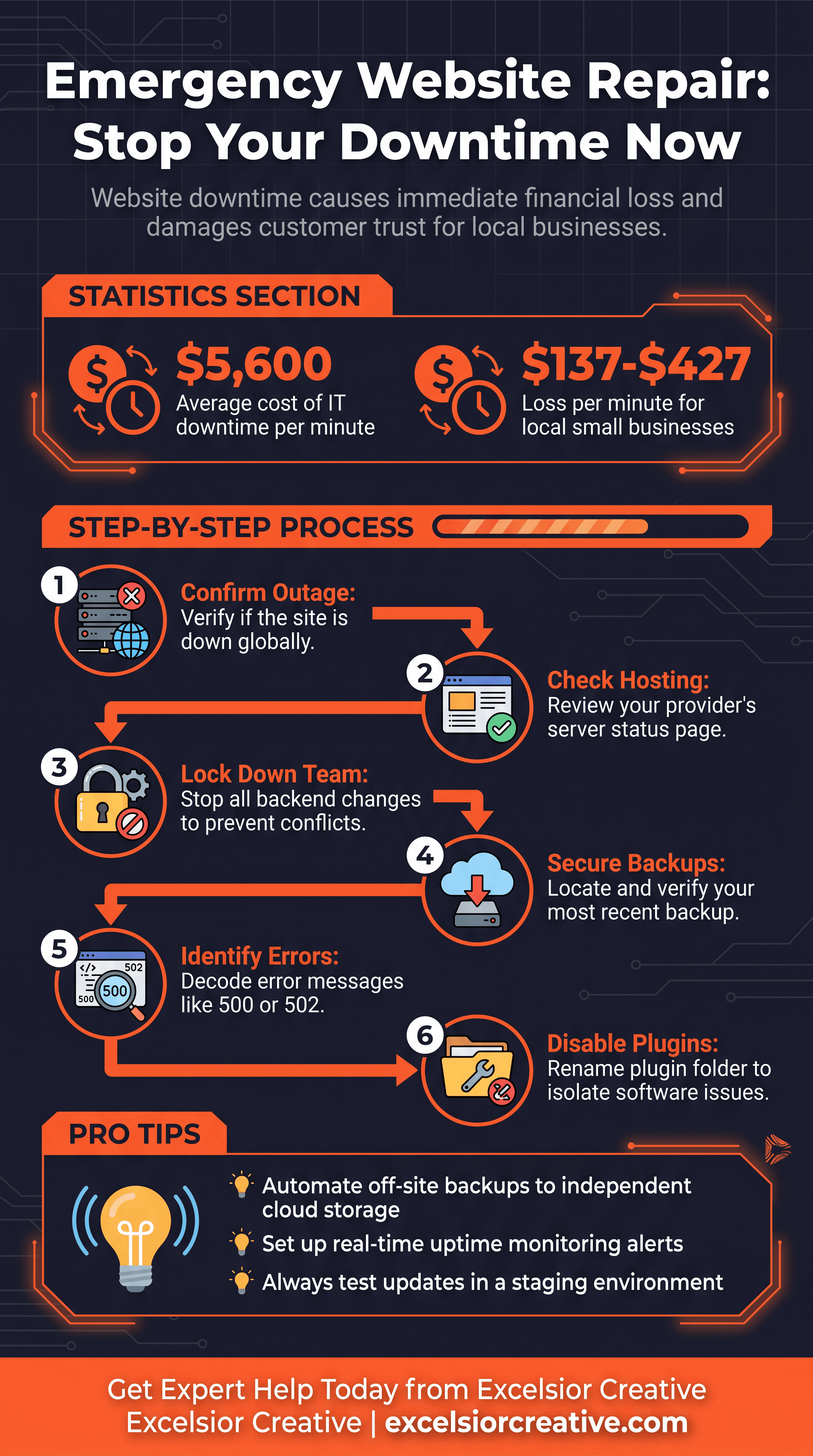
Click to expand high-resolution infographic
Need Expert Web Development?
Our team is ready to help with your web development, emergency repairs, or digital transformation projects in Orange County.